
Godot pixel-art shaders from scratch #1 — the pipeline, and the one bit of math that makes pixels
floor() is basically the whole trick
Not a native English speaker — corrections welcome!
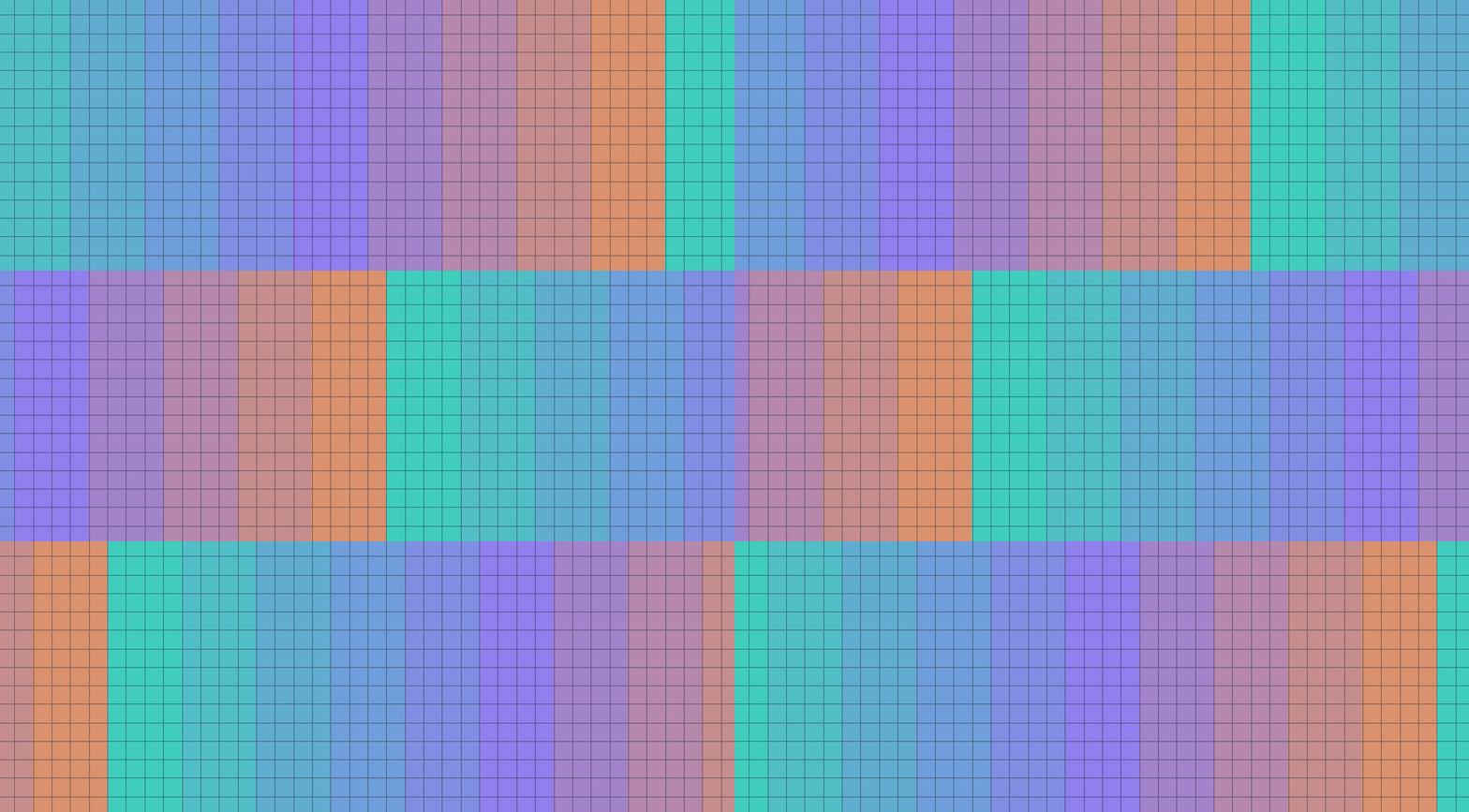
▶ Open the full interactive playground Every demo in one place, full-screen — drag the sliders yourself.
I'm teaching myself Godot 3D pixel-art shaders and building interactive explainers as I go. This is part 1.
What I'm building (series intro)
The goal, a few posts from now: a 3D pixel-art shader that works for both perspective and orthographic cameras, from one codebase. Outlines. Water. God rays. Bloom. The kind of look you see in games that render "real" 3D geometry but make it read as pixel art.
I don't know how to do most of that yet. That's the point of the series — I'm learning it from the ground up and writing down what actually happened, not a polished summary after the fact.
This first post is the boring-but-necessary part: what a shader even is, the pipeline that turns a 3D scene into a pixel-art image, and the one piece of math — quantization — that does most of the actual work.
Where this comes from (credit where it's due)
I didn't invent any of this. I fell down this rabbit hole after reading David Holland's 3D Pixel Art Rendering — the idea that you can render real 3D geometry and still make it read as pixel art kind of broke my brain. I didn't want to just copy a finished shader; I wanted to rebuild each piece from scratch until I actually understood why it works. That's what this series is.
People and work this stands on:
- David Holland — 3D Pixel Art Rendering — the article that started it all: outlines, camera snapping, water, volumetrics, the whole map. He built this in Godot itself — a custom 4.3 build with a handful of engine-source patches for the trickiest parts (a custom camera projection, sampling the shadow map inside shaders). I'm redoing it in stock Godot 4.7 with no engine patches, which is exactly where most of my "wait, how do I do this part?" moments come from.
- t3ssel8r — pretty much defined this look for a lot of us: orthographic + low resolution + camera snapping, and shell-based volumetrics.
- Roystan — clear, patient outline and toon-water tutorials. Unity, but the ideas carry straight over.
- godotshaders.com outline shader — a concrete Godot reference for the outline pass.
If you're new to this, honestly go read and watch their stuff first — they're the real teachers here. This series is just me working through it out loud, in vanilla Godot, writing down what actually happened (mistakes included). Corrections welcome.
The mental model: a shader is a per-pixel function
A shader has (at least) two stages. The vertex stage takes a mesh vertex and decides where it lands on screen. The fragment stage takes a pixel and decides what color it is.
Both are tiny functions. The part that took me a while to really internalize: the GPU runs the fragment function on thousands of pixels at the same time, and each run knows nothing about the others.
So the mental model I keep coming back to is:
I am one pixel. I don't know what color my neighbor is. I can only read my own coordinate and sample textures.
No loops over "all pixels," no shared state between pixels (within a single pass, at least). If I want a pixel to react to its neighbors — for an outline, for example — I have to bring that information in some other way (usually by sampling a texture at nearby coordinates, which is its own topic for a later post).
This is also why a lot of shader code looks weirdly restrictive compared to normal programming. You can't just say "loop over the image and find the edges." You have to ask: what can this one pixel figure out using only its own coordinate and whatever textures it's allowed to sample? Everything downstream gets built out of that constraint.
Coordinates: UV vs SCREEN_UV
A coordinate is only ever meaningful relative to an origin and a set of axes — that's an agreement, not a fact about the universe. Godot's shaders hand you a few different ones, and mixing them up was my first real point of confusion.
- UV is a 0..1 coordinate glued to the surface of the mesh. If the object moves or rotates, the UV-based pattern moves and rotates with it — like a texture printed on the object.
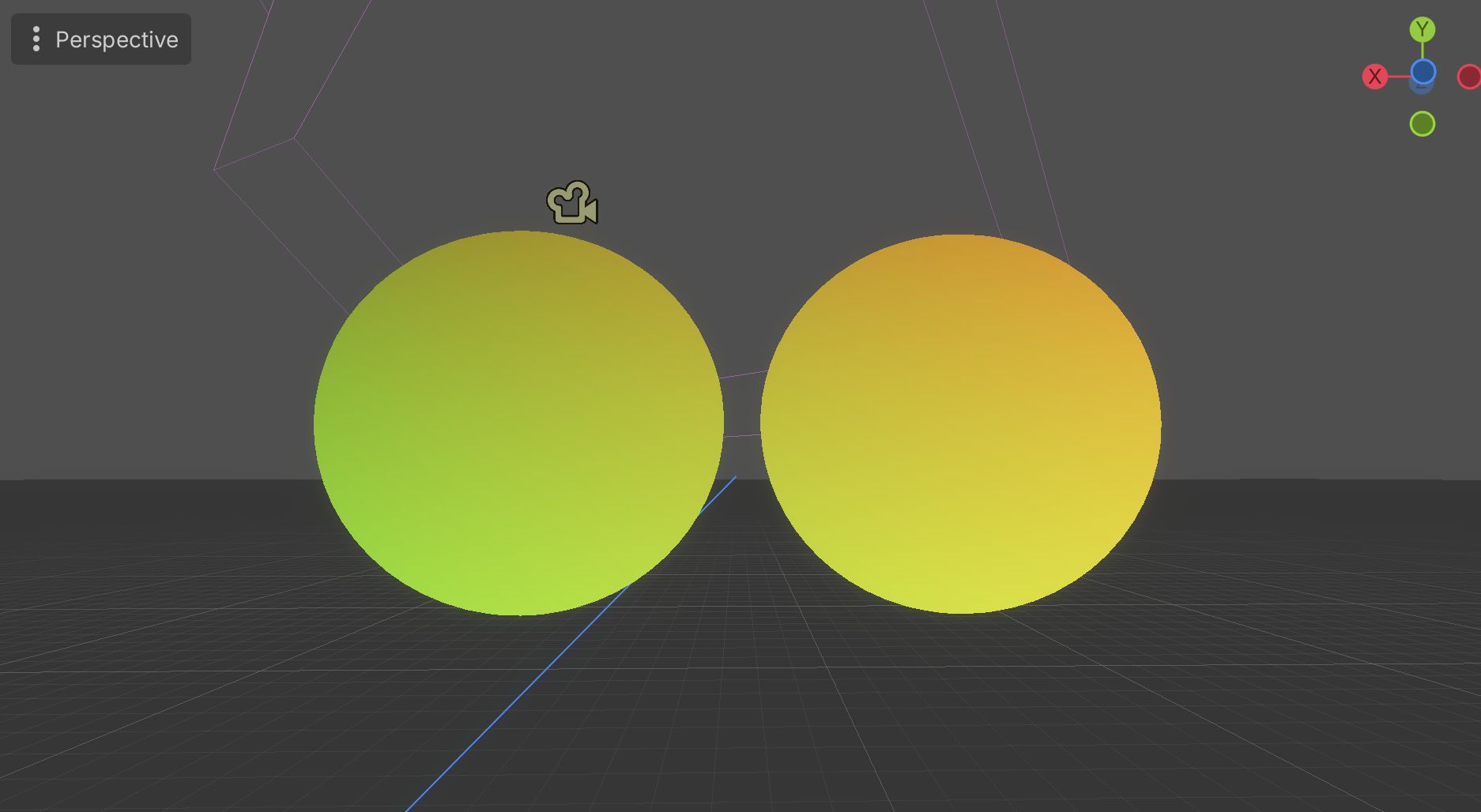
- SCREEN_UV is a 0..1 coordinate glued to the screen. If the object moves, a SCREEN_UV-based pattern stays put — the object is more like a window you're looking at the screen-space pattern through.
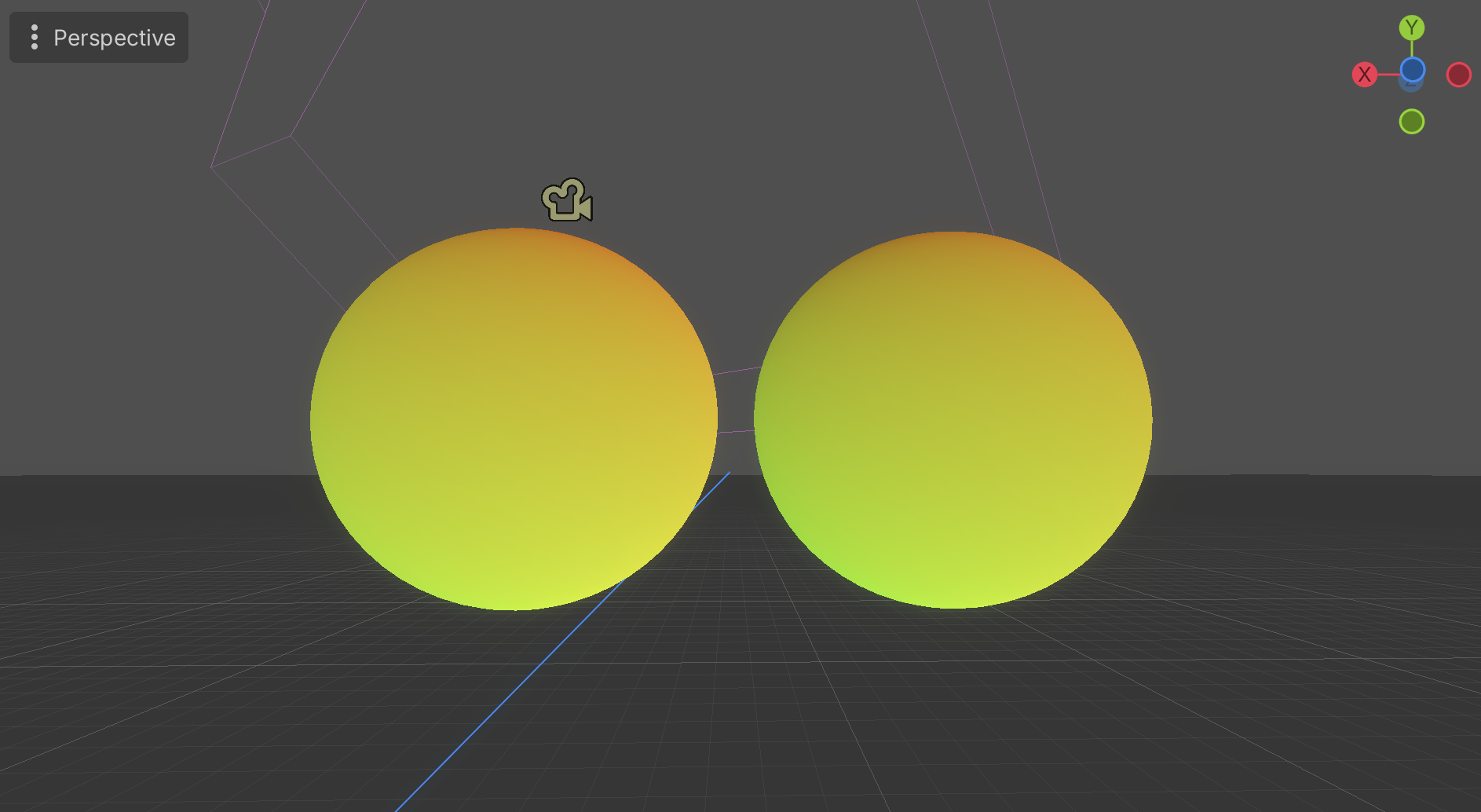
Here's the shader I used to see this for myself. Two spheres, the same shader on both — the only thing I flip is whether it reads UV or SCREEN_UV:
shader_type spatial;
render_mode unshaded;

uniform bool use_screen_uv = false;

void fragment() {
    vec2 uv = use_screen_uv ? SCREEN_UV : UV;
    ALBEDO = vec3(uv.x, uv.y, 0.0);
}
Two new keywords here compared to the 2D shader further down. shader_type spatial marks this as a 3D material (the 2D one is canvas_item). render_mode unshaded tells Godot to skip all lighting math and draw ALBEDO straight to the screen — I want to see the raw coordinate as a color, not a lit surface. And in a 3D shader the output color goes into ALBEDO, not COLOR.
With UV, the gradient is printed onto each sphere's surface. Both spheres look identical, and if I rotated one the colors would ride along with it:
Flip to SCREEN_UV and the gradient belongs to the screen instead. Now the left sphere reads greener and the right one oranger, purely because of where they sit in the window — each sphere is just a window onto one shared screen-space gradient:
This distinction matters more than it sounds like it should, because SCREEN_UV is the seed for basically all post-processing — outlines, screen-space effects, anything that needs to know "where am I on the final image" instead of "where am I on this specific object."
The one bit of math: quantization
If pixel art has a mathematical heart, it's this one line:
floor(x * n) / n
Read it left to right: multiply x up by n, floor it (drop everything after the decimal point), divide back down by n. In plain words: force a lower resolution onto a value that was smooth.
There's an identity that goes with it, and it's the thing that made quantization click for me:
x = floor(x) + fract(x)
Any number is exactly its floor (the "staircase" part) plus its fract (the "sawtooth" part, always between 0 and 1). This is always true, not an approximation — floor throws information away, fract holds exactly what floor threw away, and adding them back gives you the original value with zero error.
Here's what that looks like plotted. Top: a smooth ramp against the quantized staircase for n = 8. Bottom: the floor and fract pieces separately, and their sum landing exactly back on the original line.
My first shader (Godot 4.x)
Small enough to paste into a new .gdshader file and run:
shader_type canvas_item;

uniform int steps : hint_range(2, 32) = 8;

void fragment() {
    // UV goes 0..1 across the surface.
    // Each pixel only knows its own UV — nothing about its neighbors.
    float q = floor(UV.x * float(steps)) / float(steps);
    COLOR = vec4(vec3(q), 1.0);
}
The : hint_range(2, 32) part just tells Godot's inspector to show steps as a slider from 2 to 32 instead of a plain number field — pure editor convenience, it doesn't touch the math.
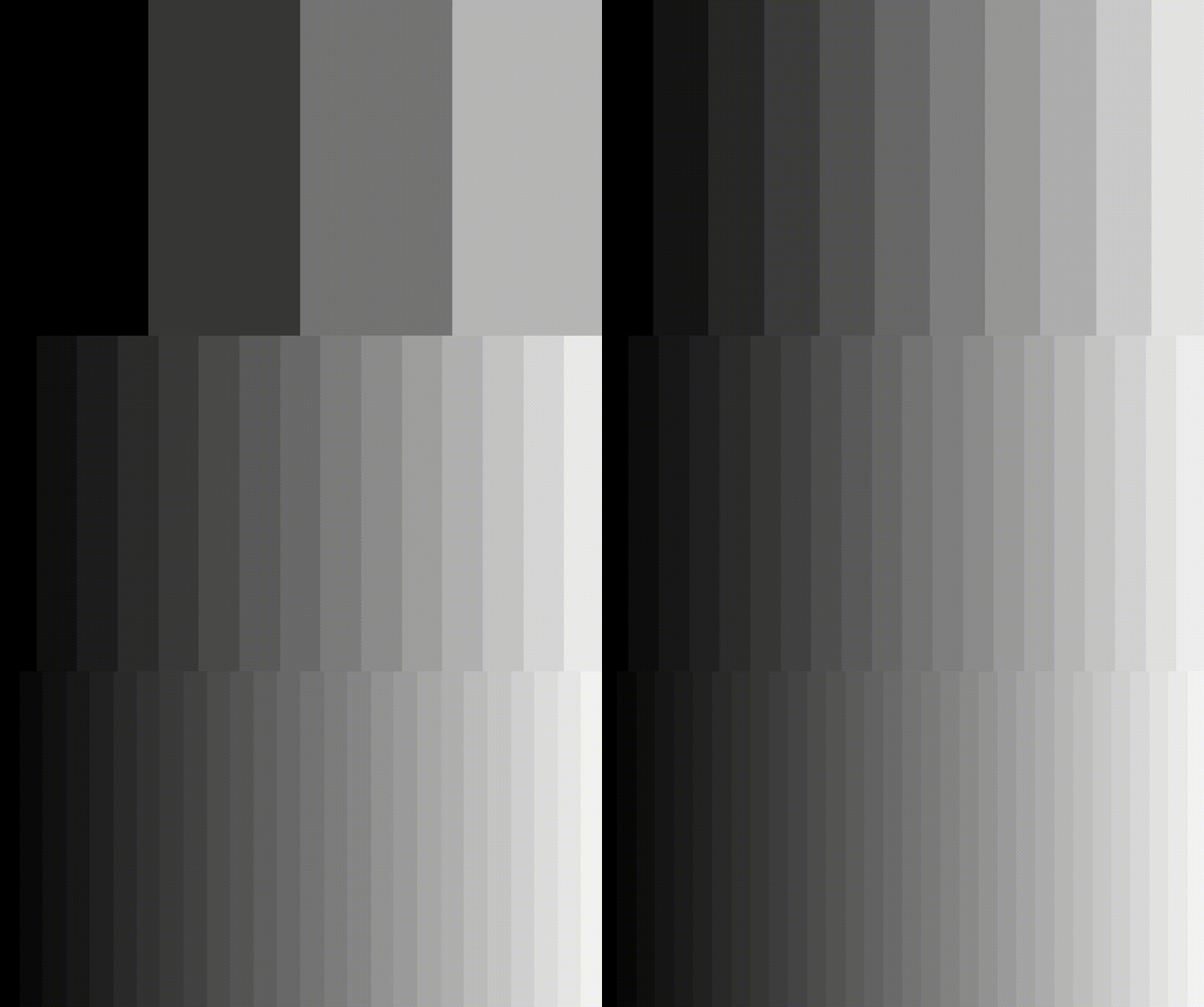
Attach it to a ColorRect or a Sprite2D and you get a horizontal grayscale gradient — except it's banded, not smooth. Bump steps up and the bands get thinner; push it high enough and it looks smooth again (you've just made n large enough that the human eye can't tell the difference). That one floor() call is the heart of the pixel-art look.
Here it is running in Godot — as steps drops, the smooth ramp collapses into fewer and fewer bands:
Where I actually got stuck (the pipeline in practice)
The math above is one line. Getting an actual 3D scene to look pixel-art in Godot is a separate job, and it's mostly plumbing, not shader code.
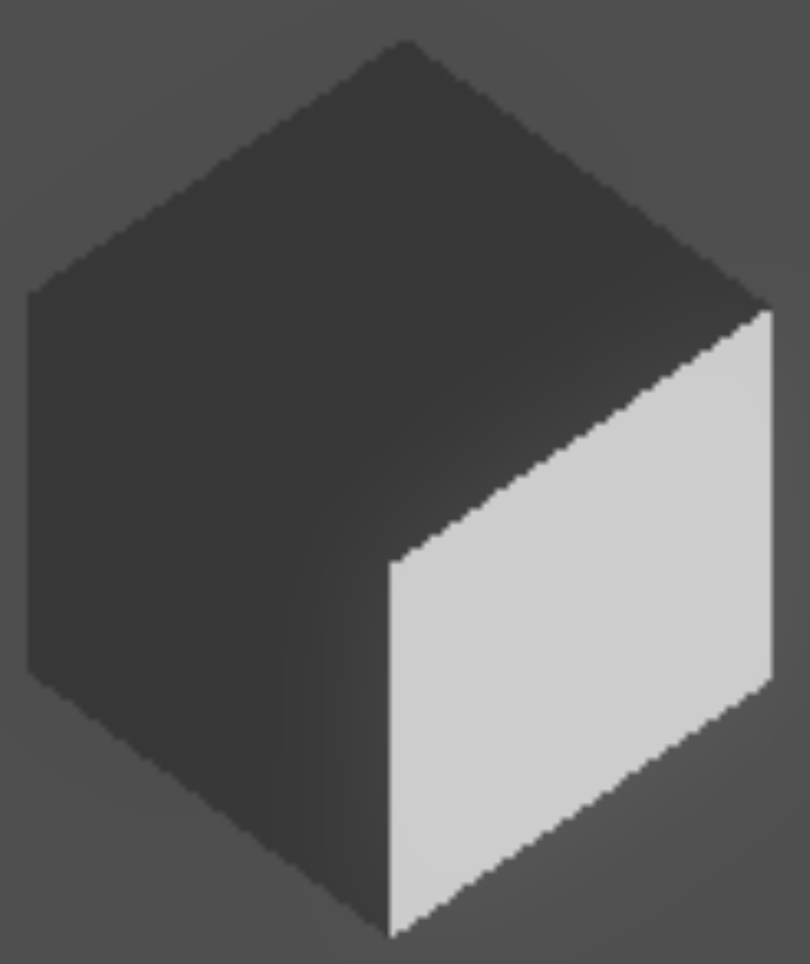
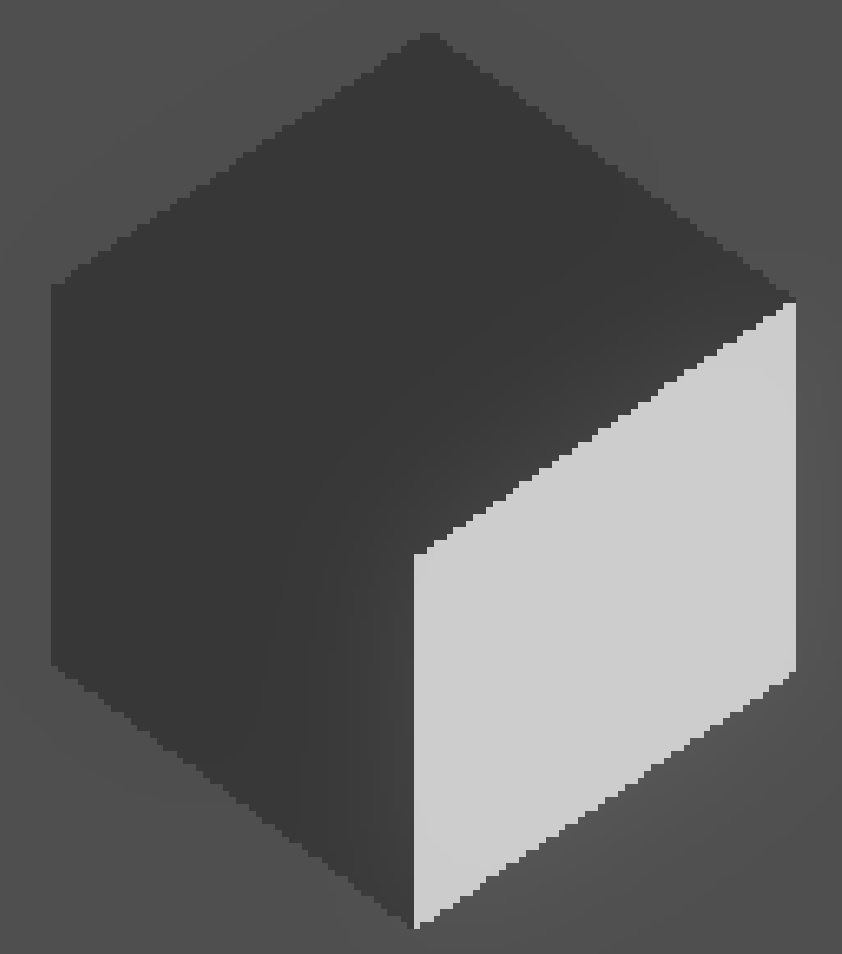
The approach: render the 3D scene into a SubViewport at a low internal resolution, then display that render on a full-screen TextureRect with the Nearest texture filter, scaled up to fill the window.

The one thing that actually tripped me up: Full Rect did nothing.
I started from a 2D Scene, dropped in a TextureRect, and set its anchor preset to Full Rect expecting it to fill the window. Instead its size stayed 0 — the node was there, but it had no area, so nothing showed up. I stared at the inspector for a while before the cause clicked: my scene root was a Node2D, and Full Rect anchoring only means something inside a Control-based layout tree. The fix was almost silly — make the root a plain Node (or just start the scene with a Node root in the first place). The moment I did that, Full Rect filled the window like I'd expected all along.
Every shader in this post worked as-is once the layout was right — the bug was never in the shader, it was in the scene setup around it. That seems to be the theme with this kind of work: the code compiles, nothing crashes, and the "bug" is a UI element quietly doing nothing, with no stack trace to follow.
Nearest vs Linear — the one setting that makes or breaks the look.
The last piece is the TextureRect's Texture Filter. On the default, Linear, the low-res render gets smoothed as it scales up, so you end up with a blurry image instead of pixel art:
Switch it to Nearest and each low-res pixel is held as a hard-edged block. Same render, same resolution — the only thing that changed is the filter, and that one setting is the whole difference between "blurry 3D" and "pixel art":
Wrap-up / next
So: a shader is a tiny per-pixel function running in parallel with no memory of its neighbors, UV vs SCREEN_UV is about what the coordinate is glued to, and floor(x*n)/n is the one line of math that turns "smooth" into "pixel art." The rest of this post was really just the practical plumbing to get that math onto a real 3D scene.
Next up: toon lighting — dot products, Lambertian shading, and dithering to fake more color depth than the quantized palette actually has. If any of the math or the Godot specifics above is wrong or could be explained better, corrections welcome — I'm still figuring this out.